How to Spot a Phishing Email
Phishing emails are one of the oldest, and still one of the most effective, tricks used by cybercriminals. Every day, thousands of people receive messages that look perfectly legitimate but are designed to steal passwords, payment details, or sensitive company data.
No matter how advanced your cybersecurity systems are, a single employee clicking the wrong link can lead to serious damage. That’s why spotting phishing emails is one of the most important skills any modern professional can learn.
What Is Phishing?
Phishing is a form of social engineering, when attackers try to manipulate people into giving away confidential information or downloading malicious files. These emails are made to look like they come from trusted organisations such as Microsoft, your bank, or even your own colleagues.
The goal is simple: to trick you into taking action. That might mean clicking a fake link, downloading an infected attachment, or entering your login details on a fraudulent website.
While some phishing emails are obvious, others are extremely sophisticated, often personalised, convincing, and timed perfectly.
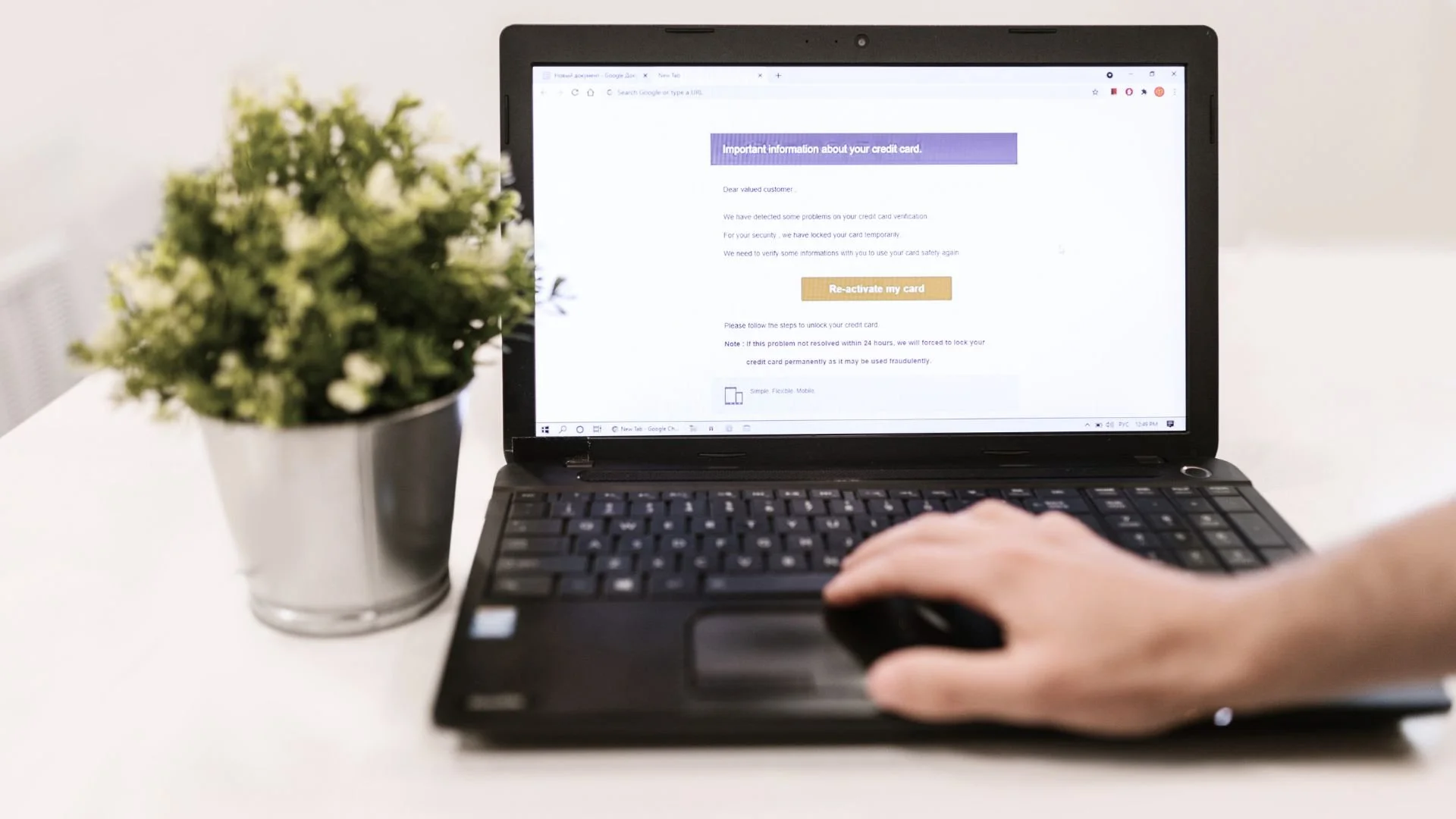
Why Phishing Still Works
Phishing succeeds because it targets people, not systems. Criminals know that even with firewalls, filters, and antivirus in place, humans can be persuaded through urgency, fear, or curiosity.
Messages often say things like:
“Your account has been locked — click here to verify.”
“An invoice is overdue — open the attachment to review.”
“You’ve received a secure message — log in to view.”
These tactics exploit our instincts to act quickly, especially when it looks like something important is at risk.
How to Recognise a Phishing Email
There’s no single sign of phishing, but several clues can help you spot suspicious messages before it’s too late.
1. Check the Sender’s Address
Phishing emails often come from addresses that look almost right — but not quite.
For example:
security@micros0ft-support.com instead of security@microsoft.com.
If the domain name looks unusual or overly complicated, it’s a red flag.
2. Look for Spelling or Grammar Mistakes
Professional companies proofread their emails carefully.
Odd phrasing, missing words, or poor spelling are signs that something isn’t right.
3. Beware of Urgent or Threatening Language
Phishers often create panic to push you into clicking without thinking.
Phrases like “immediate action required”, “your account will be suspended”, or “payment overdue” are common tactics.
4. Check Links Before Clicking
Hover your mouse over any link without clicking.
This will show you the real URL — and if it doesn’t match the sender or looks suspicious, don’t open it.
For example, https://secure-microsoft-login.com is not the same as https://login.microsoftonline.com.
5. Be Wary of Attachments
If you weren’t expecting an attachment — especially one with a .zip, .exe, or .docm extension — don’t open it.
These often contain malware designed to infect your system.
6. Unusual Requests for Sensitive Information
No reputable organisation will ask for your password, PIN, or personal details by email.
If they do, assume it’s a phishing attempt.
7. Inconsistencies in Branding
Phishing emails often mimic company logos or layouts, but small details may be off — such as colour tones, missing icons, or slightly altered logos.
What to Do If You Suspect a Phishing Email
Don’t click links or open attachments.
Even one click can trigger a download or redirect to a fake login page.Verify the sender.
Contact the organisation directly using a trusted number or website — never the contact details in the email.Report it.
In the UK, you can forward suspicious emails to report@phishing.gov.uk, which is monitored by the National Cyber Security Centre (NCSC).
Also, alert your IT department or managed service provider so they can investigate.Delete the message.
Once reported, delete it immediately from your inbox and “deleted items.”
How Sunrise Technologies Helps Protect Against Phishing
At Sunrise Technologies, we help businesses prevent, detect, and respond to phishing attacks before they cause damage.
Our services include:
Email filtering and phishing protection — powered by advanced threat detection.
User awareness training — helping your team recognise suspicious emails.
Simulated phishing campaigns — testing your staff safely to improve resilience.
Incident response and recovery — for when something slips through.
We believe cybersecurity is strongest when technology and people work together. By combining proactive monitoring with ongoing education, your business can stay one step ahead of attackers.
Phishing emails aren’t going away they’re evolving. But with the right awareness, training, and technology, you can make sure your team knows how to spot and stop them.
If you’d like to strengthen your defences or run a phishing awareness campaign for your team, contact Sunrise Technologies today to arrange a free cybersecurity assessment.